The average university student spends 15 hours a week studying. Research published in Psychological Science in the Public Interest found that most of those hours are spent on two techniques — re-reading and highlighting — that rank among the lowest-efficacy methods tested. Meanwhile, flashcard-based active recall sits at the top of the evidence rankings, and most students still make their cards manually, one at a time.
AI changes that equation entirely. You can now generate a complete, review-ready flashcard deck from any document in under a minute.
01Why Is Active Recall So Much More Effective Than Re-Reading?
Active recall forces your brain to retrieve information rather than recognise it. That distinction is everything. Recognition is easy — your brain confirms "I've seen this before." Retrieval is hard — your brain has to reconstruct the memory from scratch.
That difficulty is the point. Cognitive scientists call it desirable difficulty: the harder the cognitive task, the stronger the memory trace it leaves. A 2021 meta-analysis of 118 studies in the Journal of Applied Research in Memory and Cognition found that active recall produces effect sizes roughly 50–100% larger than passive review methods across a wide range of subject matter and age groups.
Flashcards work because every card is a retrieval attempt. You see a question or prompt, and your brain works to reconstruct the answer. Whether you get it right or wrong, the attempt itself strengthens memory. Getting it wrong, surprisingly, often produces stronger learning than getting it right — because the effort of searching for the answer and then encountering the correct one creates a memorable moment of surprise.
02How Does AI Generate Flashcards From Your Documents?
Innovaweb can create flashcards from three types of source material:
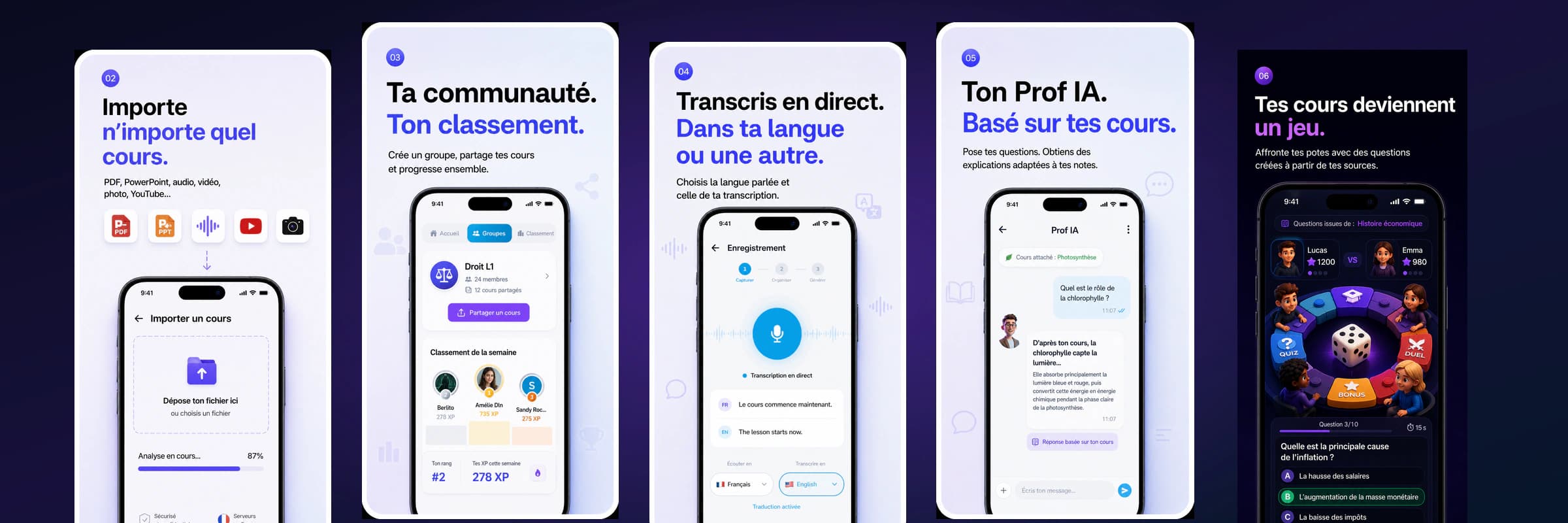
From a PDF or document. Click "+ Create" in the navbar, select "PDF / PPTX" as your source, and upload your file. Most PDFs are text-based and extracted instantly — OCR only kicks in for scanned documents. The AI then identifies flashcard-worthy content: definitions, key terms, relationships between concepts, formulas, dates, and processes. Each becomes a card with a clear question on one side and a concise, accurate answer on the other.
From a lecture recording. Record your lecture directly in Innovaweb using the transcription tool (Mode Navigateur). The speech-to-text engine creates a full transcript, and the AI then extracts the most important concepts — filtering out filler, tangents, and repeated content — to generate focused flashcards. A 90-minute lecture typically yields 25–50 targeted cards.
From a YouTube video. Paste the URL of any educational YouTube video with captions. Innovaweb's YouNote feature extracts the subtitle track, processes it as a transcript, and generates flashcards from the content. This works well for educational channels like Khan Academy, CrashCourse, Professor Leonard, or any recorded academic lecture uploaded to YouTube.
In all three cases, generation takes under 60 seconds.
03What Makes a Good AI-Generated Flashcard?
Not all AI-generated flashcards are equal. The quality depends on both the source material and the model doing the work. Here is what Innovaweb's generation pipeline is designed to produce:
- Atomic cards — one concept per card, never multiple facts crammed into a single answer. Atomic cards are faster to review and easier to rate accurately.
- Question-first format — the front of the card poses a specific, unambiguous question rather than a vague prompt. "What is the difference between mitosis and meiosis?" beats "Mitosis/meiosis."
- Answer context — the back of the card includes just enough context to understand why the answer is correct, not just what it is.
- No trivial cards — the AI skips dates, page numbers, and incidental details that appear in the source text but carry no conceptual weight.
You can always edit generated cards before reviewing. In practice, most users find 80–90% of cards usable as generated, with occasional tweaks for phrasing or emphasis.
04What Is FSRS and Why Does It Matter for Flashcard Review?
Once your flashcards are created, the question becomes: when do you review each one? This is where the scheduling algorithm matters more than most students realise.
Traditional Anki uses an algorithm called SM-2, developed by Piotr Wozniak in the 1980s. SM-2 works reasonably well, but it was designed before modern cognitive science had access to the large datasets now available from millions of learners.
Innovaweb uses FSRS (Free Spaced Repetition Scheduler), a modern algorithm developed in 2022 by Jarrett Ye and refined over two years of testing with real student data. FSRS models memory more accurately than SM-2 in several important ways:
- It treats retrievability (the probability you can recall a card right now) as a continuous value rather than a discrete step.
- It separates stability (how long a memory lasts) from difficulty (how hard a card is to learn).
- It adapts to your personal forgetting curve rather than applying a universal schedule.
In benchmarking tests on real Anki user data, FSRS produces 20–40% fewer reviews needed to achieve the same retention rate compared to SM-2. For a student with 1,000 cards, that difference is meaningful: it can cut daily review time from 45 minutes to 25 minutes while maintaining the same long-term retention.
05How Does Innovaweb Compare to Anki and Quizlet?
This is a fair question to ask directly. Anki is the gold standard for serious, long-term spaced repetition. Its ecosystem is mature, its algorithm is battle-tested (and now supports FSRS), and it is completely free. The cost is a steep learning curve, significant setup time, and the labour of creating cards manually.
Quizlet has a massive library of pre-made decks and an interface that takes five minutes to learn. Since 2023, most of its useful features sit behind a paywall that costs more annually than a Netflix subscription.
Innovaweb's flashcard system occupies a specific niche: AI generation from your own course material, with modern scheduling built in. It does not replace Anki for someone who wants granular control over every aspect of their review process. But for the majority of students who want to study effectively without spending hours setting up a system, it removes the biggest barrier — creating the cards in the first place.
A full feature and pricing comparison is available in the Anki vs Quizlet vs Innovaweb article.
06Five Tips to Make AI Flashcards Work Harder For You
Review within 24 hours of generation. The forgetting curve is steepest immediately after learning. First review the same day locks in the memory before the curve drops sharply.
Rate honestly. FSRS needs accurate signals. If you hesitated but eventually recalled the answer, mark it as "Hard," not "Good." Overrating slows down the algorithm's adaptation to your actual memory.
Keep decks by topic, not by course. A deck called "Organic Chemistry — Reaction Mechanisms" is more useful long-term than "Chem 201." Topic-based decks survive course changes and stack across semesters.
Use images when they help. For anatomy, circuit diagrams, or chemistry structures, add an image to the card front. The AI does not generate images, but you can paste them in during editing.
Do not skip review days. FSRS calculates your next review date based on when you last reviewed. Skipping a day pushes all missed cards past their optimal interval and makes subsequent sessions longer. Five minutes daily beats one 35-minute session on Sunday. Start your daily review here.
07FAQ
Will the AI create cards for every sentence in my document? No. The AI filters for flashcard-worthy content — definitions, key concepts, relationships, and facts that are likely to appear on an exam. Transitional sentences, anecdotes, and repeated content are skipped. A 20-page chapter typically yields 30–60 focused cards.
Can I import my existing Anki decks into Innovaweb? Anki export (.apkg) import is on the development roadmap. Currently, you can manually add cards or use the CSV import feature if you can export your Anki deck to CSV format first.
What if the AI generates cards that are wrong or inaccurate? All generated cards can be edited before and during review. The AI works from your source material, so factual errors are rare — but phrasing can occasionally be ambiguous. A quick review before your first session catches most issues.
How many flashcards can I create on the free plan? The free plan grants 20 jetons at signup (valid for 14 days) plus a one-shot +10 bonus the first time you generate content. Flashcard generation costs vary by document length. Most lecture notes (10–15 pages) generate a complete deck within that 30-jeton trial budget — enough to evaluate the platform before deciding on a paid plan.