Over 48 million Americans have some degree of hearing loss, including an estimated 15% of college students who report difficulty hearing. For them, following a lecture hall class is a daily challenge: voices blend together, professors speak while facing the whiteboard, and the pace is relentless. Live transcription changes everything.
01The problem: lecture halls aren't designed for everyone
A hearing-impaired student in a lecture faces several obstacles:
- Background noise: 300 students in a lecture hall means 60-70 dB of ambient sound
- Distance: the professor is 30-60 feet away, lip-reading becomes impossible
- Speed: professors speak at 150 words per minute, impossible to note everything manually
- Materials: slides are projected but 70% of the information is in the spoken lecture
- Interactions: questions from other students are rarely repeated
Result: a hearing-impaired student captures on average 30 to 50% of lecture content, compared to 80-90% for hearing students.
02The solution: live transcription
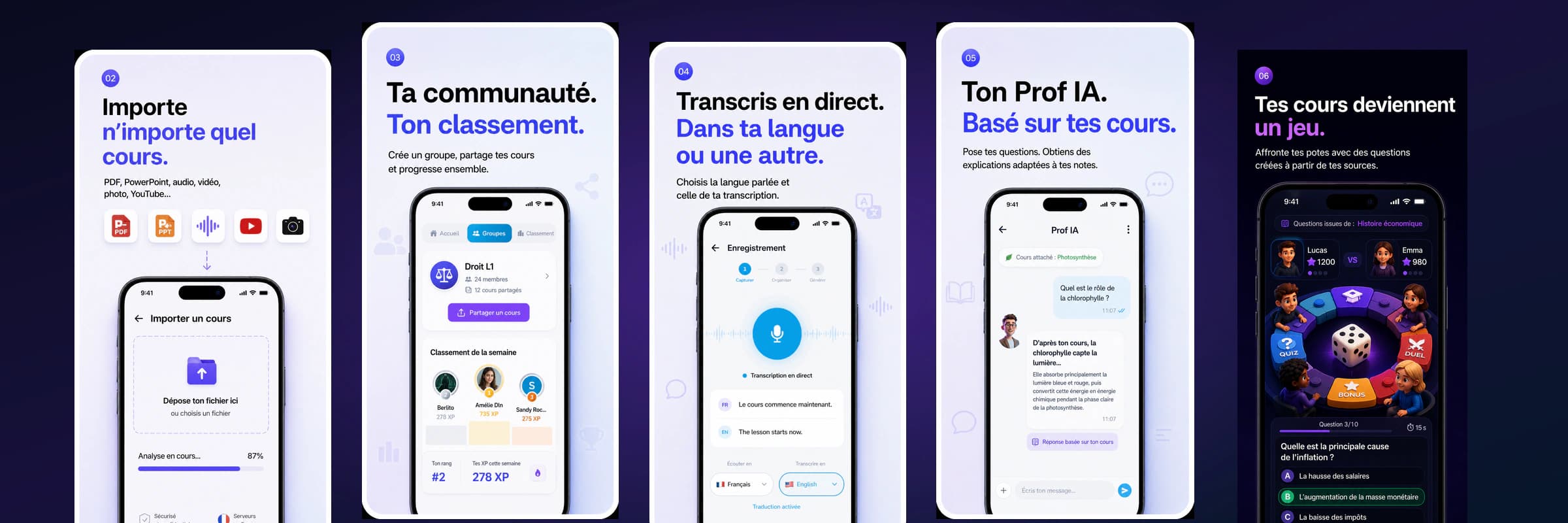
Live transcription converts the professor's speech to text in real-time, directly on the student's screen. It's like having subtitles for real life.
How it works on Innovaweb
- The student opens Innovaweb on their laptop or phone
- They activate browser transcription (Browser Mode)
- The microphone captures the professor's voice
- Text appears on screen in real-time
- After class, the complete transcription is saved
It's free: Browser Mode uses the browser's built-in Web Speech API, consuming zero tokens.
The advantages for hearing-impaired students
| Without transcription | With transcription |
|---|---|
| Captures 30-50% of the lecture | Access to 100% of content |
| Depends on a note-taker | Complete autonomy |
| Intense listening fatigue | Comfortable reading |
| Incomplete, approximate notes | Faithful, complete transcription |
| Can't participate (focused on listening) | Can read and participate simultaneously |
03Beyond transcription: a complete ecosystem
Transcription is just the starting point. Once the lecture is transcribed, the student can:
Generate automatic study sheets
AI analyzes the transcription and extracts key concepts, definitions, and important points to create structured revision sheets.
Create flashcards for review
Technical terms and concepts from the lecture become flashcards with spaced repetition — particularly useful when oral nuances were missed.
Ask the AI Tutor questions
The AI Tutor uses the lecture transcription to answer questions. "What did the professor say about mitosis?" → precise answer based on what was actually said in class.
Share with the community
Transcriptions can be shared in a study group, which benefits the entire class — not just hearing-impaired students.
04Accessibility as a right, not an option
What the law says
In the United States, the Americans with Disabilities Act (ADA) and Section 504 of the Rehabilitation Act require colleges and universities to provide reasonable accommodations for students with disabilities, including hearing impairments.
In practice, universities must provide:
- Exam accommodations (extended time, separate room)
- Accessible course materials
- Support services (note-takers, sign language interpreters, CART services)
The problem: resources are limited. Human note-takers aren't always available, sign language interpreters are in short supply, and CART (Communication Access Realtime Translation) services are expensive ($100-200/hour).
Technology as a complement
Automatic transcription doesn't replace human aids. It complements them:
- Interpreter unavailable? → Live transcription ensures minimum access
- Note-taker absent? → Automatic transcription takes over
- Small group discussion? → Transcription works even in informal settings
- Studying at home? → Everything is recorded and available
05Use cases
In lecture halls
"Before, I had to choose between watching the professor for lip-reading and taking notes. Now, transcription frees me. I can focus on understanding and participate in discussions."
In seminars
"Group discussions were impossible to follow — everyone talks at once. Live transcription lets me follow who's saying what."
For revision
"The most useful thing is having the complete transcription after class. I can read exactly what the professor said, not a summarized version from someone else."
06How to set up transcription in class
Recommended equipment
- Laptop with Chrome, Edge, or Safari
- External microphone (recommended): a USB directional mic captures the professor's voice better than a built-in mic. Budget: $20-40
- Headphones (optional): if you use a hearing aid with a telecoil, some mics are compatible
Optimal setup
- Sit in the front rows (better audio capture)
- Point the mic toward the professor
- Open Innovaweb in Chrome or Edge
- Select the lecture language (English or French)
- Start the transcription
Limitations to know
- Audio quality: in a very noisy lecture hall, transcription may be less accurate
- Accents and jargon: highly technical terms may need manual correction
- Internet connection: required for voice processing (Web Speech API)
- Browser: works on Chrome, Edge, and Safari (not Firefox)
07For institutions: integrating Innovaweb
University disability services can:
- Recommend Innovaweb as a complementary tool
- Integrate transcription into official accommodation plans
- Train students on usage during orientation
- Evaluate the impact on student outcomes
The free plan (30 tokens/month) is sufficient for transcription (free and unlimited). AI features (study sheets, flashcards, quizzes) are available with Premium (€4.99/month) or Pro (€9.99/month) plans.
08FAQ
Is live transcription free? Yes. Browser Mode uses the Web Speech API built into your browser — no tokens are consumed. You can transcribe as many lectures as you want at no cost.
Does transcription work for lectures in other languages? Innovaweb supports English and French for transcription. Select the language before starting.
Can I use Innovaweb with a hearing aid? Yes. Transcription is visual (text on screen) — it doesn't depend on your hearing. The microphone captures the professor's voice independently of your hearing aid.
How do I convince my disability office to adopt this tool? Show them this article and propose a one-semester trial. The results speak for themselves: access to 100% of spoken content, student autonomy, and virtually zero cost for the institution.
Are transcriptions private? Yes. Your transcriptions are saved in your personal account. You choose whether to share them with your study group or keep them private.