The right study tool depends on who you are, what you are studying, and how much time you are willing to invest in setup. There is no universally best option. Anki, Quizlet, and Innovaweb each occupy a distinct niche — and choosing the wrong one wastes both time and money.
This comparison is honest. Anki is genuinely excellent at what it does. Quizlet has real strengths. Innovaweb has real limitations. Here is the full picture.
01What Makes Each Tool Worth Considering?
Anki is the gold standard for serious long-term memorisation. It is free, open-source, and has been refined over nearly two decades. Its algorithm (now supporting FSRS) is sophisticated, its desktop client is powerful, and its community has produced thousands of pre-made decks for subjects like the USMLE Step 1, JLPT, bar exam, and university-level sciences. The trade-off is friction: Anki is not beginner-friendly, card creation is entirely manual, and syncing across devices requires either AnkiWeb or technical configuration.
Quizlet is the most popular study tool among high school and undergraduate students. Its strength is simplicity and its enormous library of pre-made content — over 700 million user-created study sets covering virtually every topic. The learning modes (flashcards, match game, practice tests) are well-designed and genuinely useful. Since 2023, however, Quizlet has aggressively moved features behind a paywall, and the free tier is now significantly restricted compared to what it once offered.
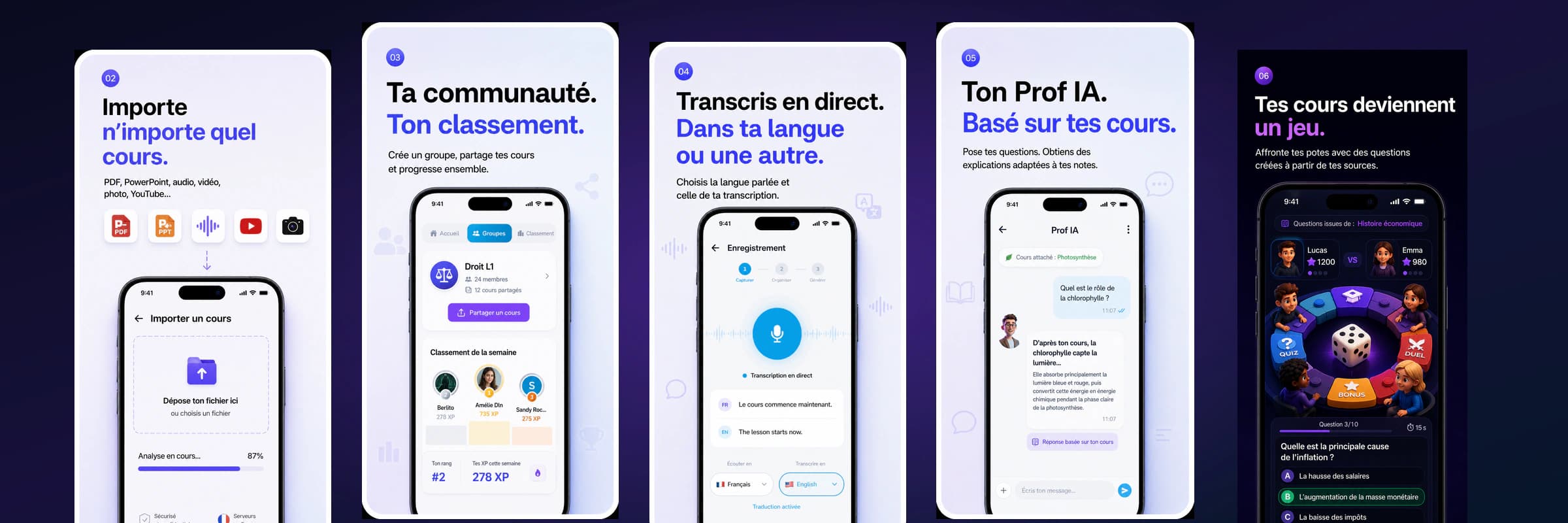
Innovaweb is primarily an AI generation platform: it creates flashcards, quizzes, and study notes from your own course material. Its flashcard system uses FSRS for scheduling. The differentiating value proposition is not the flashcard review experience itself — which is competent but not as feature-rich as Anki — but the elimination of card creation time. If the biggest barrier to using spaced repetition is making the cards, Innovaweb removes that barrier entirely.
02Head-to-Head Feature Comparison
| Feature | Anki | Quizlet | Innovaweb |
|---|---|---|---|
| Spaced repetition algorithm | FSRS (v24+) / SM-2 | Basic (not true SRS) | FSRS |
| Card creation | Manual | Manual / AI (paid) | AI from PDF, audio, YouTube |
| Pre-made decks | Large community library | Enormous library (700M+ sets) | Growing library |
| Desktop app | Yes (Windows, Mac, Linux) | Web only | Web only |
| Mobile app | iOS (paid, $24.99), Android (free) | iOS + Android (free, limited) | iOS + Android |
| Offline access | Yes (full) | Limited (paid) | Limited |
| Image support | Yes | Yes | Yes (edit mode) |
| Audio cards | Yes | Yes (paid) | No |
| LaTeX / math | Yes | No | Yes (via OCR) |
| Import from PDF | No (manual only) | No | Yes (AI extraction) |
| Import from YouTube | No | No | Yes (YouNote) |
| Lecture transcription | No | No | Yes (Mode Navigateur) |
| AI quiz generation | No | Limited (paid) | Yes |
| Shared decks | Yes | Yes | Yes |
| Free tier | Fully free | Restricted (since 2023) | 30 signup jetons (14-day window) + 20 first-generation bonus |
| Price (paid) | Free (desktop) | $35.99/year | From €4.99/month |
03What Has Changed With Quizlet's Pricing?
This point deserves specific attention because it affects a lot of students who have used Quizlet for years and may not have noticed how much the free tier has shrunk.
Before 2023, Quizlet's free tier included unlimited study sets, all learning modes, and basic test features. Since then, Quizlet has progressively restricted the free tier:
- The Quizlet Learn adaptive practice mode (previously free) now requires a Quizlet Plus subscription.
- Test mode and the AI-powered Q-Chat feature are paywalled.
- Free users face limits on the number of study sets they can create.
- The mobile app experience is significantly degraded on the free tier with more aggressive upsell prompts.
Quizlet Plus costs 3/month billed annually). At that price, it is in direct competition with Innovaweb's paid plans. Whether the price is worth it depends entirely on whether you need the content creation features or are primarily using Quizlet's pre-made set library.
04Which Tool Is Right for Each Type of Student?
Choose Anki if:
You are studying for a high-stakes, content-dense exam over a long time horizon — USMLE Step 1, Step 2, bar exam, CFA, JLPT N1, or a multi-year language learning project. Anki's ecosystem for these exams is exceptional. Community-built decks like Anki's First Aid deck for USMLE Step 1 (Zanki, Lightyear, etc.) contain tens of thousands of well-crafted cards that medical students have refined over years. No other tool comes close for this specific use case.
You are also a good fit for Anki if you do not mind investing time in setup and want granular control over every aspect of your study system. Power users who want custom card templates, add-ons, and detailed statistics will find Anki's depth rewarding.
The honest trade-off: if you cannot tolerate a learning curve and want to study, not configure software, Anki will frustrate you. Many students download Anki, spend two hours learning how it works, create 20 cards, and abandon it.
Choose Quizlet if:
You need to study someone else's material and someone has already made a set for it. For subjects covered by Quizlet's massive library — AP exams, common university courses, standardised test vocabulary — the ability to search and immediately start studying pre-made sets is a genuine advantage. If you are in high school or early university and your course content closely maps to popular subjects, Quizlet's library might already have what you need.
Quizlet is also good for short-term, low-stakes memorisation where sophisticated scheduling does not matter much — vocabulary lists, a specific set of dates, terminology for a unit quiz. For these cases, the simple match game and flashcard modes work fine without needing FSRS.
Choose Innovaweb if:
Your biggest bottleneck is creating study materials, not finding a scheduling algorithm. If you attend lectures, get slides and handouts as PDFs, and want to convert them into reviewable flashcards and quizzes without spending 30 minutes per chapter on card creation, Innovaweb removes that friction entirely.
Innovaweb is also well-suited for students who do not have the luxury of time: if you need to build a review system for a new topic quickly, AI generation gets you from zero to a complete, scheduled deck in under five minutes. Start your spaced repetition review now. That speed advantage is most valuable at the start of a semester, before finals, or when catching up on missed content.
The honest limitation: if you want the most powerful long-term memorisation system with deep customisation, Anki (with FSRS enabled) is still superior for pure spaced repetition. Innovaweb's edge is the content pipeline, not the review engine.
05Can You Use Multiple Tools Together?
Yes, and this is often the best approach.
A practical combination for a pre-med student:
- Anki for long-term foundational knowledge (biochemistry, pharmacology, anatomy) using community decks like Zanki. These are investments that pay off over years of medical education.
- Innovaweb for course-specific material: lecture slides, reading summaries, and professors' custom content that do not exist in pre-made decks.
- Quizlet for occasional one-off vocabulary sets (a professor's specific terminology list that someone in class already made).
The tools are not mutually exclusive. Using the right tool for each type of content is more effective than forcing all content into a single system.
06The Bottom Line
If you have time to set up a system and are studying for something with a long runway, Anki with FSRS is the most powerful free option available. The ecosystem is unmatched for standardised exam preparation.
If you need to go from lecture slides to a study-ready flashcard deck in two minutes, Innovaweb is the most efficient path. The AI generation removes the biggest real-world barrier to using spaced repetition consistently. Create your first deck here.
If you rely heavily on pre-made community content and are willing to pay for a polished interface, Quizlet still works — but the free tier is no longer competitive with what it was three years ago.
07FAQ
Is Anki really still the best for medical school? For USMLE Step 1 and Step 2 preparation, yes — largely because of the community-built decks (Zanki, Lightyear, Anking) that thousands of medical students have refined over years. These decks are better than anything you could generate from scratch. For non-standardised medical school content (individual professor's slides, institution-specific exams), AI generation tools are more practical.
Does Innovaweb's free plan give you enough to actually use it? The free plan grants 20 jetons at signup with a 14-day window to use them, plus a one-shot +10 jeton bonus the first time you generate content (flashcards, study sheet, quiz, etc.). That's 30 jetons total to evaluate the platform. A typical 10–15 page lecture handout costs approximately 5–10 jetons to process into flashcards — enough for ~5–10 complete decks during your trial window to assess whether the paid tier fits your workflow.
What happened to Quizlet's free features? In 2022–2023, Quizlet moved its adaptive learning mode (Quizlet Learn), test generation, and several other core features to a paid subscription. The free tier still allows basic flashcard creation and the simple flip-card mode, but most of the features that made Quizlet valuable for serious studying now require Quizlet Plus at $35.99/year.
Can I export my Innovaweb flashcards to Anki? CSV export is supported, and Anki can import CSV files. The formatting will be basic (front/back text without images or formatting), but this allows you to move AI-generated content into Anki if you prefer Anki's review interface for long-term study. Full .apkg export support is on the Innovaweb development roadmap.